Canvas Legends is a program at Notre Dame where students recognize instructors for the extra work they’ve put into their Canvas course sites. While some faculty seem like “old pros” at using technology to teach, many stress that their process has simply been iterative over time; they tried something new one year, then added to it the following semester, to create what eventually became a very useful teaching tool.
Josephine Akosa, assistant teaching professor in the Department of Information Technology, Analytics, and Operations, has embraced that iterative approach by listening to her students.
She knows the math and statistics she teaches can be a challenge, and it’s important for students to stay on top of the subject or risk getting behind. For the last few semesters, she has sent an anonymous survey after the first exam, asking students how the course is going so far and what she could do to help them. When they reported getting lost with all the resources she was giving them, she knew she wanted to make a change.
That’s when Josephine worked with the Office of Digital Learning to transform her course’s presence in Canvas. Together, they redesigned the course’s home page and modules to make the Canvas course site more manageable.
What follows are some insights she shared at a presentation during the recent Fall Semester Start-Up event, hosted by OIT’s Teaching & Learning Technologies.
Make the Course Home Page Welcoming—and Mobile-Friendly
How your students interact with your Canvas course is important, and your home page sets the tone.
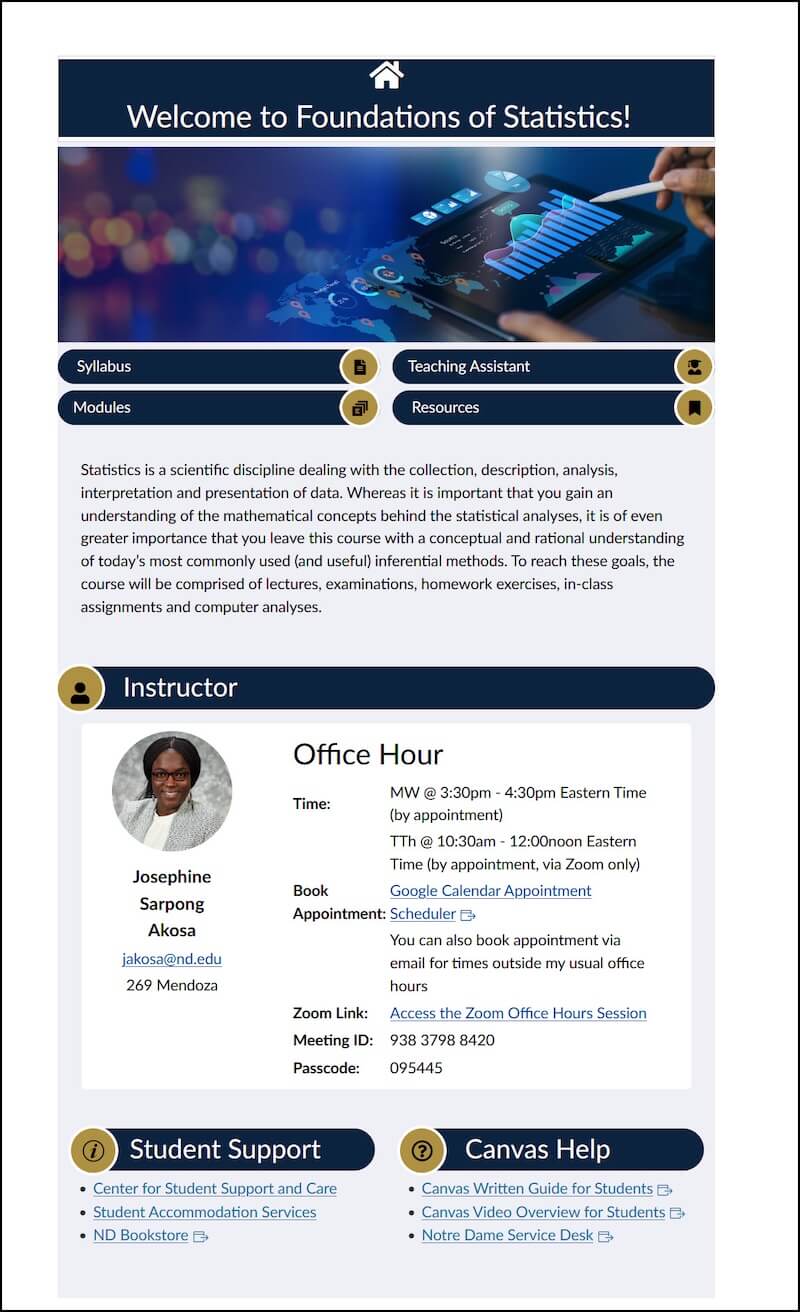
“You want to make it very welcoming,” Josephine says. “You want the students to feel like it’s not just another website.” She felt a more modern design would appeal to students and wanted to create something that would align with the quality they see elsewhere online.
Her redesign uses visuals and organization to give students a feel for what the course is about. Frequently used content, like the syllabus, course modules, and additional resources, are presented through graphical links within the home page, providing students a clear way to find what they need without the need to click through the course menu to find it.
Josephine also noted that students regularly access Canvas from mobile devices, and course pages often give students a poor mobile experience. She purposefully redesigned pages with this in mind, incorporating embedded links on each course page to make navigation easy whether users are on their laptop or mobile device.
Organize Coursework for Clarity and Context
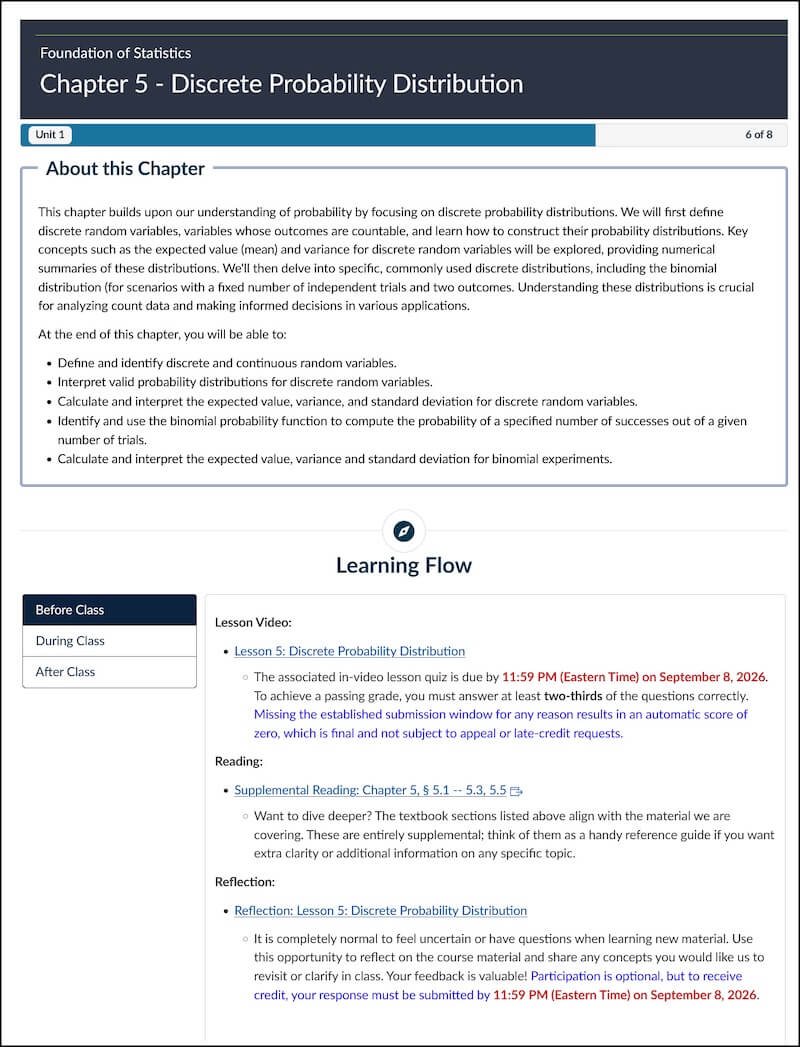
All gradable items appear in a course’s Assignment Index, but the index does not give order to content beyond due dates. To help students understand the work they have to do for each class, Josephine designed individual pages, organized into unit modules, to give the classwork some context. Each page breaks down the work by what is needed before, during, and after class.
“If you give them that mindset, they know that they need to do something before they come to class,” she says. “They’ll go to the module, look at the Before Class, get the task done. Then during the class they have all the materials I’m going to be providing to them. I’ve linked all the homework assignments and additional practice problems on the After Class module.”
Modules are organized by units, with topics and then a unit exam all contained in the unit. This makes it easy for students to see what they need to learn and what to review as they prepare for each exam. The consistent organization also means students always know what to expect and where to find what they need.
Give the Prep Work a Value
Even with the clear organization in her course, Josephine noticed a trend with her busy students: Some preparation work was being ignored, which could adversely affect their success in the class.
“If you are giving students any reading assignments, and you don’t assign a small percentage value to it, they’re not going to do it,” she admits. One tactic she used was to create videos with embedded quizzes. The quizzes appeared randomly throughout the video, and their completion contributed to students’ grades.
After each video, there is an optional reflection assignment, where students tell her if they are still struggling. The reflection gives her the opportunity to gather information so she can spend class time on what they really need, making their face-to-face time more productive.
When asked how she was able to create this well-organized workflow, Josephine pointed out that she had been building the pages over many semesters, and she continues to modify based on the feedback she gets from her students.
“They’ve told me they really like how the course is organized, because they know where to go and how to find everything.”
And that is the reason why her students chose her as a Canvas Legend.
Screenshots from Josephine’s Course in Canvas
Click on the following images of her course home page (left) and a sample page focusing on an individual topic to see how Josephine has put the principles she describes into practice.