Canvas Legends is a program at Notre Dame where students recognize instructors for the extra work they’ve put into their Canvas course sites. While some faculty seem like “old pros” at using technology to teach, many stress that their process has simply been iterative over time; they tried something new one year, then added to it the following semester, to create what eventually became a very useful teaching tool.
For Whitney Lew James, an assistant teaching professor in the University Writing Program, fostering accessibility and inclusion is not just a behind-the-scenes administrative task; it is core to her pedagogy and evident in the attention she pays to the student experience in Canvas.
Establishing Accessibility Guidelines
From the very first day of class, Whitney models accessible practices to set a standard that students are then required to follow in their own work.
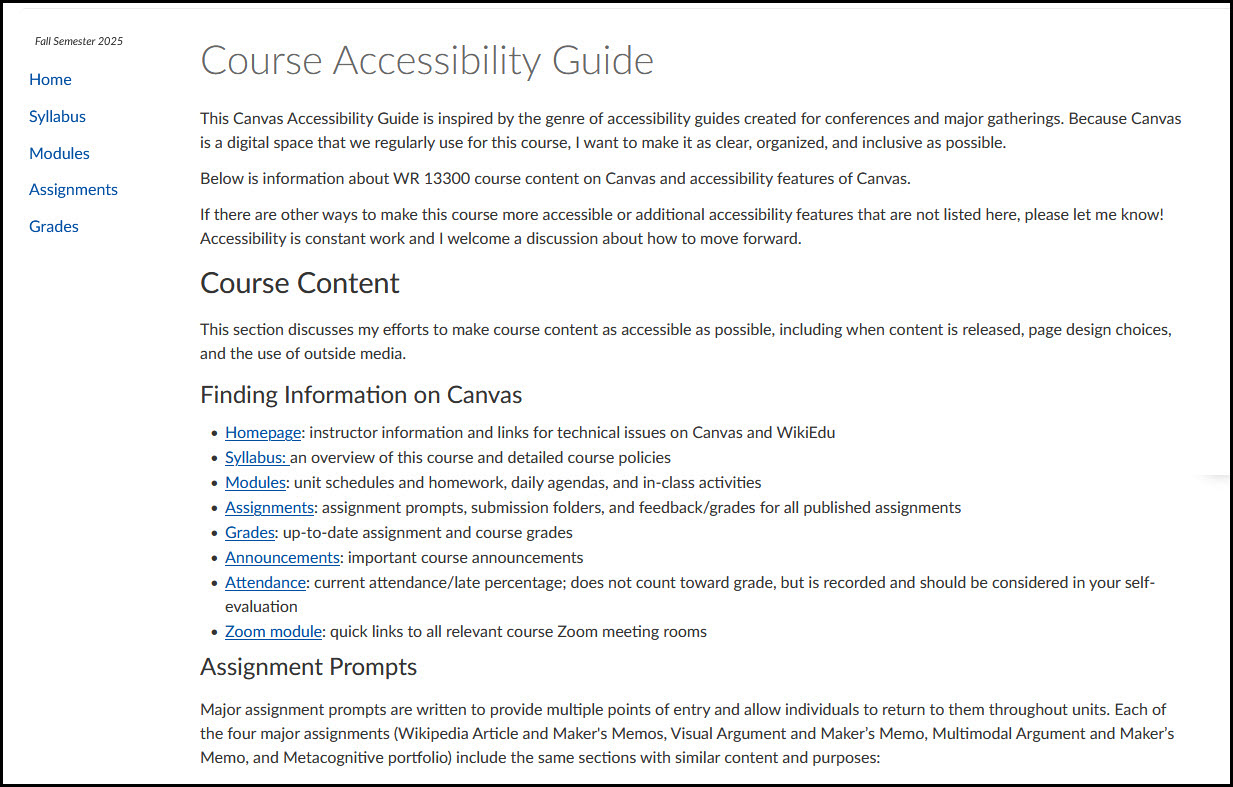
On each assignment, students must adhere to accessibility guidelines, which include providing captions for media and writing descriptive alt-text for images. By integrating these requirements into the curriculum, she transforms accessibility from a checklist into a fundamental communication skill that students carry with them beyond the Writing Program.
Whitney’s commitment to this principle is best exemplified by her Canvas Accessibility Guide (Notre Dame NetID required). This resource serves as a roadmap for students, explaining the logic behind her page design, the consistent structure of her assignment prompts, and the schedule for content releases.
The guide also introduces tools such as Panorama, which students can use to apply accessibility filters to course pages, giving them more contrast, removing distractions, and making them more usable with screen readers. Whitney notes that reducing the cognitive load of navigating her course site allows students to focus on the course material.
Leveraging Campus Resources and Support
Whitney is quick to acknowledge the inspiration and assistance she has gotten from resources on campus. She credits the Teaching Well with Canvas Mini Conference, hosted each semester by the Office of Information Technology’s Teaching & Learning Technologies team, for showing her the design tool CidiLabs, which she used to make her home page more accessible.
“The Canvas Accessibility Guide she provides is so helpful and thoughtful. She uses such exceptional efforts in accessibility to deliver course content.“ — One of Whitney’s Students
In addition, Whitney has collaborated with Notre Dame Learning’s Office of Digital Learning to develop an asynchronous training module focused on visual accessibility. Because students don’t always read the blocks of text in assignments, she also created a series of videos for the assignments to make them more accessible.
As Whitney puts it, the process is about “always trying new things and growing as you go”—a philosophy that ensures her classroom remains a space where every student, regardless of how they access information, can thrive.
Resources to Get Started
- CidiLabs DesignPlus
- Panorama
- Whitney’s Canvas Accessibility Guide (Notre Dame NetID required)
- Notre Dame Learning Digital Accessibility Resources